Space and Page Lists
In these two areas, the available spaces and pages appear.
After the initial connection and the first download of Confluence data, the list of spaces is available.
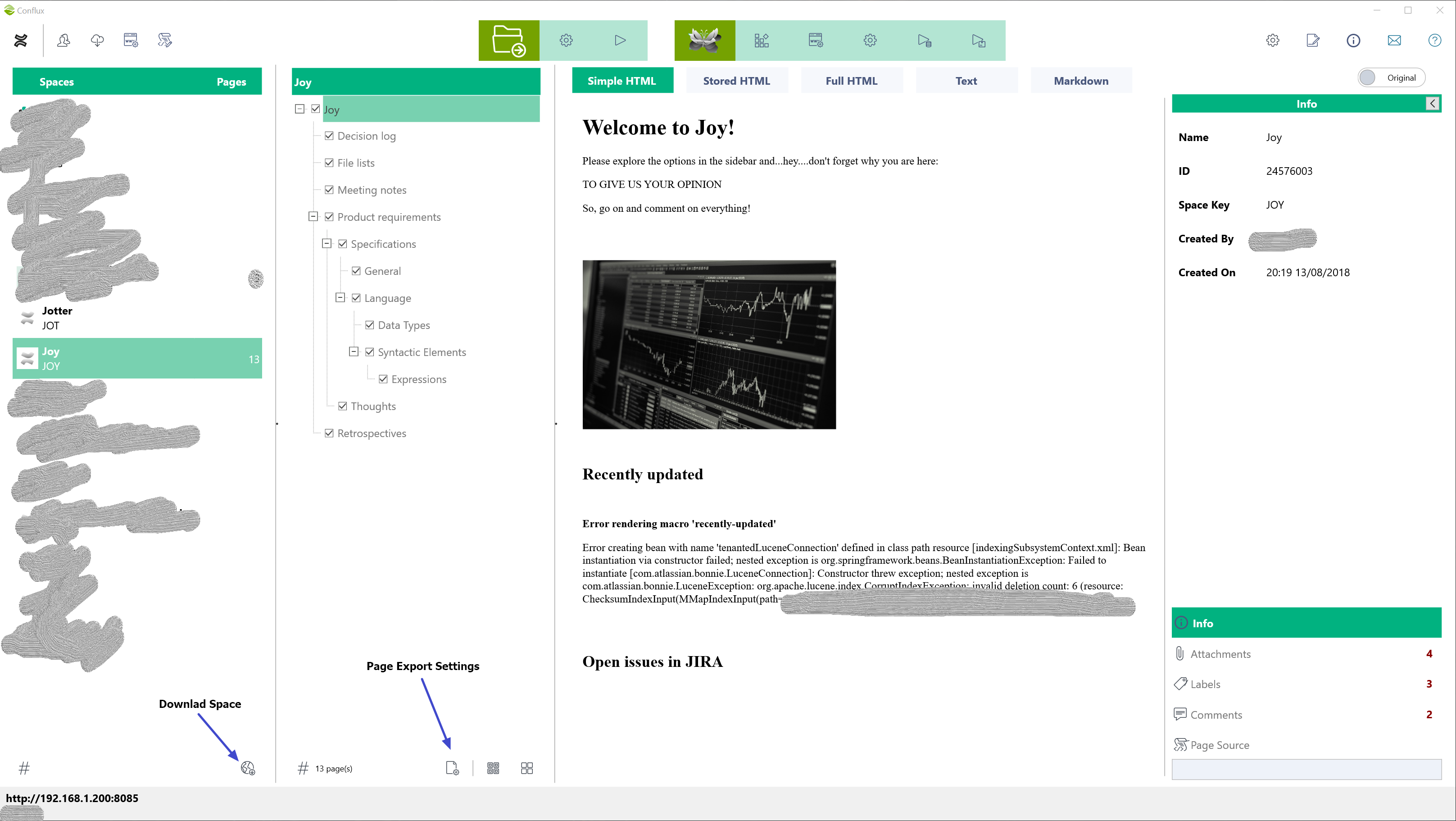
Space Content
To download the content of a space, double click on an item in the space list, or select it and click on the button at the bottom right corner of the space list.
Page Export Settings
You can override or fine-tune the what is being exported for each page. There are three sets of settings available (overall, local folders, wikijs).
Overall Export Settings
These settings are applicable to all export destinations.
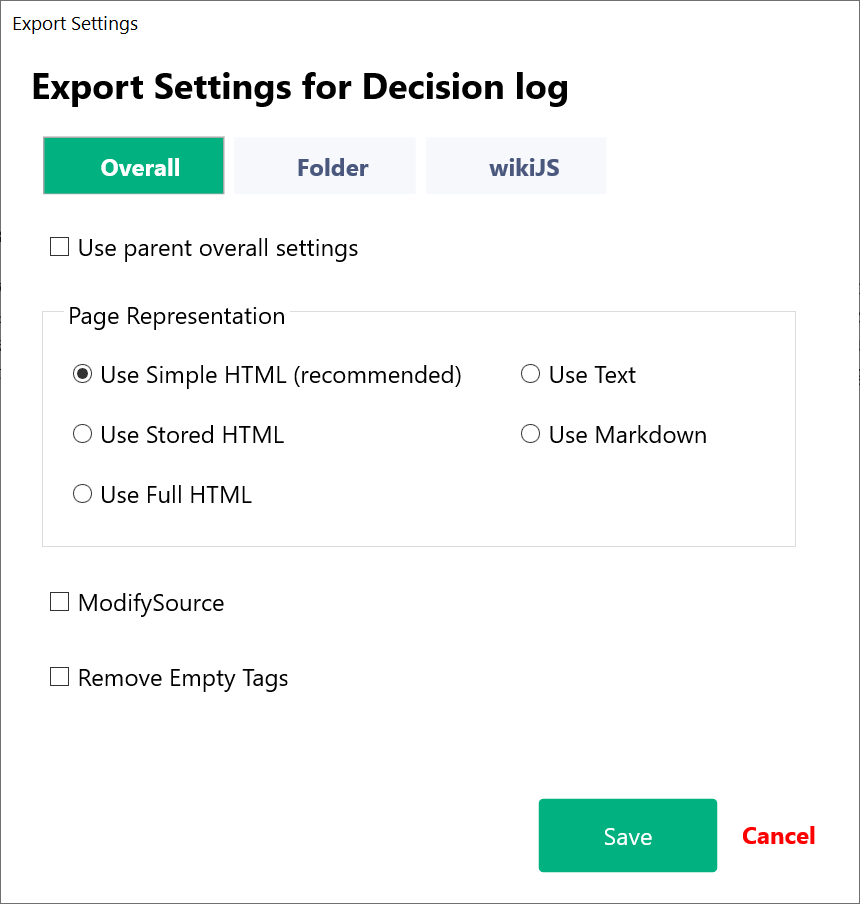
- Use Parent Overall Settings: When enabled, the export settings of the parent page will be used; otherwise, the settings in this form will be applied
- Page Representation: Select the representation you want to export
- Modify Source: When enabled, the source will be modified before export according to the active rules
- Remove Empty Tags: Confluence produces a very messy html source code. Use this option to clean the source code from empty tags (e.g., <div></div>, or <h2></h2>). This situation can also occur after you modify the source code
Folder Export Settings
These settings are applied when you export data to local folders.
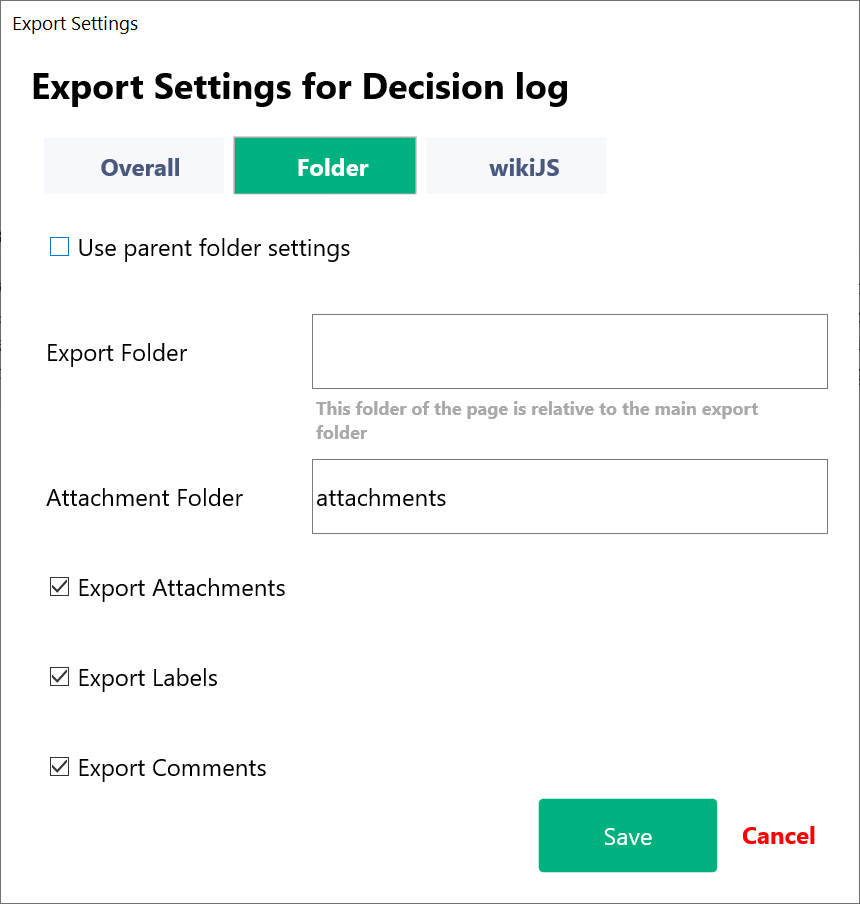
- Use Parent Overall Settings: When enabled, the export settings of the parent page will be used; otherwise, the settings in this form will be applied
- Export Folder: Define a new destination folder for the page. This folder is relative to the export folder defined in overall export settings
- Attachment Folder: Determines a folder for the assets relative to the export folder
- Export Attachments: Exports the attachments of the page
- Export Labels: Exports the Confluence labels for the page to a text file
- Export Comment: Exports the comments to separate files
WikiJS Export Settings
Settings to control what content will be exported to WikiJS.
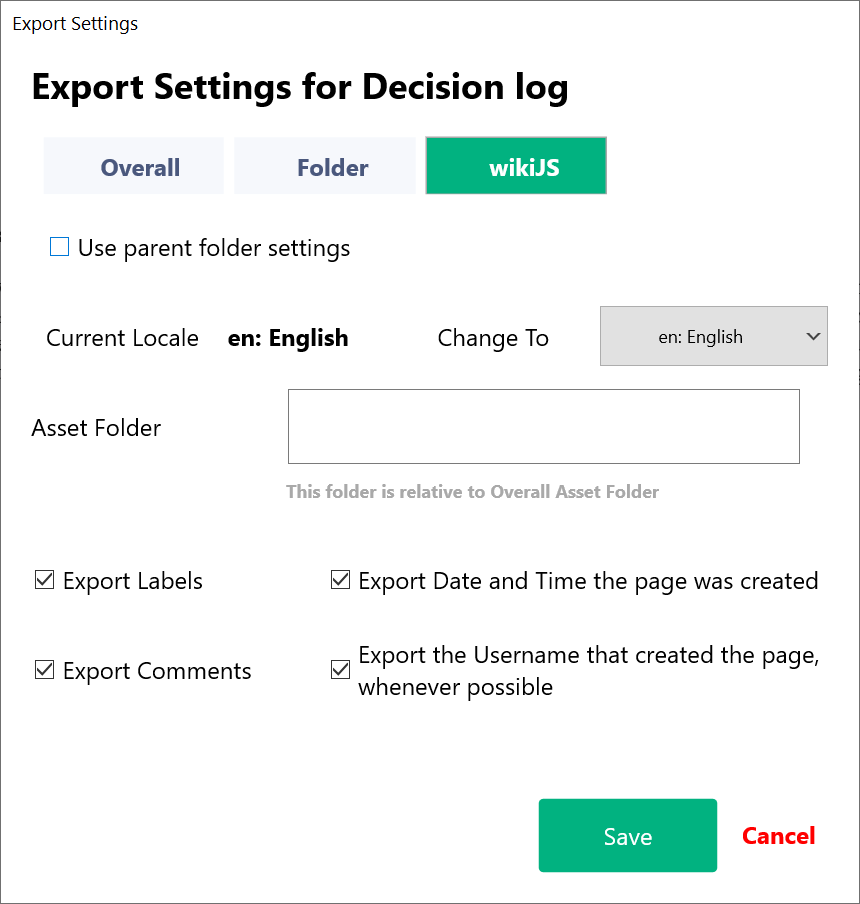
- Use Parent Overall Settings: When enabled, the export settings of the parent page will be used; otherwise, the settings in this form will be applied
- Current Locale/Change To: Show the locale of the page and allows you to change it. This may be useful with international characters
- Asset Folder: Determines the asset folder of the page. This is relative to the folder in the overall wikijs settings and should be the same as the target folder in local storage settings in WikiJS
- Export Labels: Exports Confluence labels to WikiJS tags
- Export Comments: Exports Confluence comments to WikiJS comments
- Export Date and Time the page was created: Updates the WikiJS page with the original creation date and time
- Export the Username that created the page, whenever possible: If the original username exists in WikiJS, the export updates the WikiJS page with the original username; otherwise, it uses the Administrator
Created with the Personal Edition of HelpNDoc: Elevate Your Documentation with HelpNDoc's Project Analyzer Features