Export Panel (Local Folders)
Conflux can export all content and data to files in a local folder.
Use the local folder export panel at the top of the main form.

From left to right,
- Folder Export Settings: Determine the destination folder and other parameters
- Export to Folder: Perform the export
Folder Export Settings
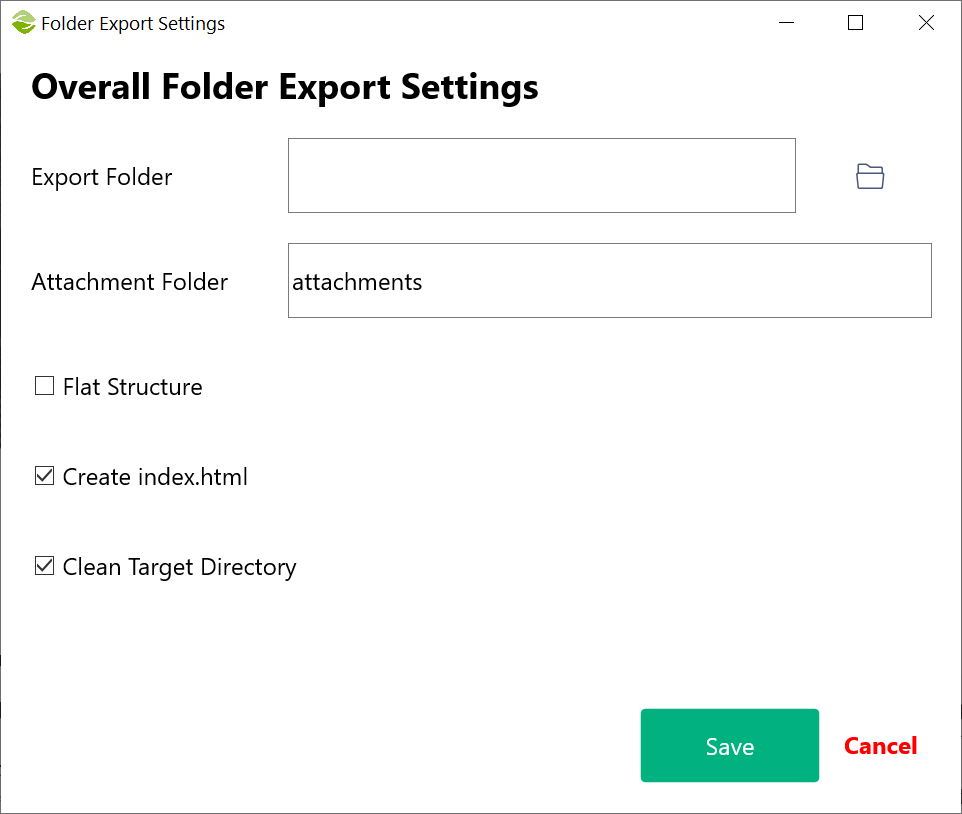
Settings:
- Export Folder: Determine the folder to export content
- Attachment Folder: All the assets will be exported to this folder. This is relative to the export folder. If blank, assets are exported in the export folder
- Flat Structure: If enabled, all files will be saved in the export folder; otherwise, a new folder will be created for each page respecting the hierarchy
- Create index.html: An index.html file is created with navigations sidebar
- Clean Target Directory: Before an export is perfomed, all files and folders in the export folder will be deleted
The export and attachment folders can be overriden for each page individually using the Page Settings in the page list
Page Export Settings
You can adjust or modify the export settings at page level
Export to Folder
Click "Start" to begin export.
Created with the Personal Edition of HelpNDoc: Effortlessly Create High-Quality Help Documentation with a Help Authoring Tool