Tutorial - HTML
We will use the following page as produced by Confluence to demonstrate how to clean the source.
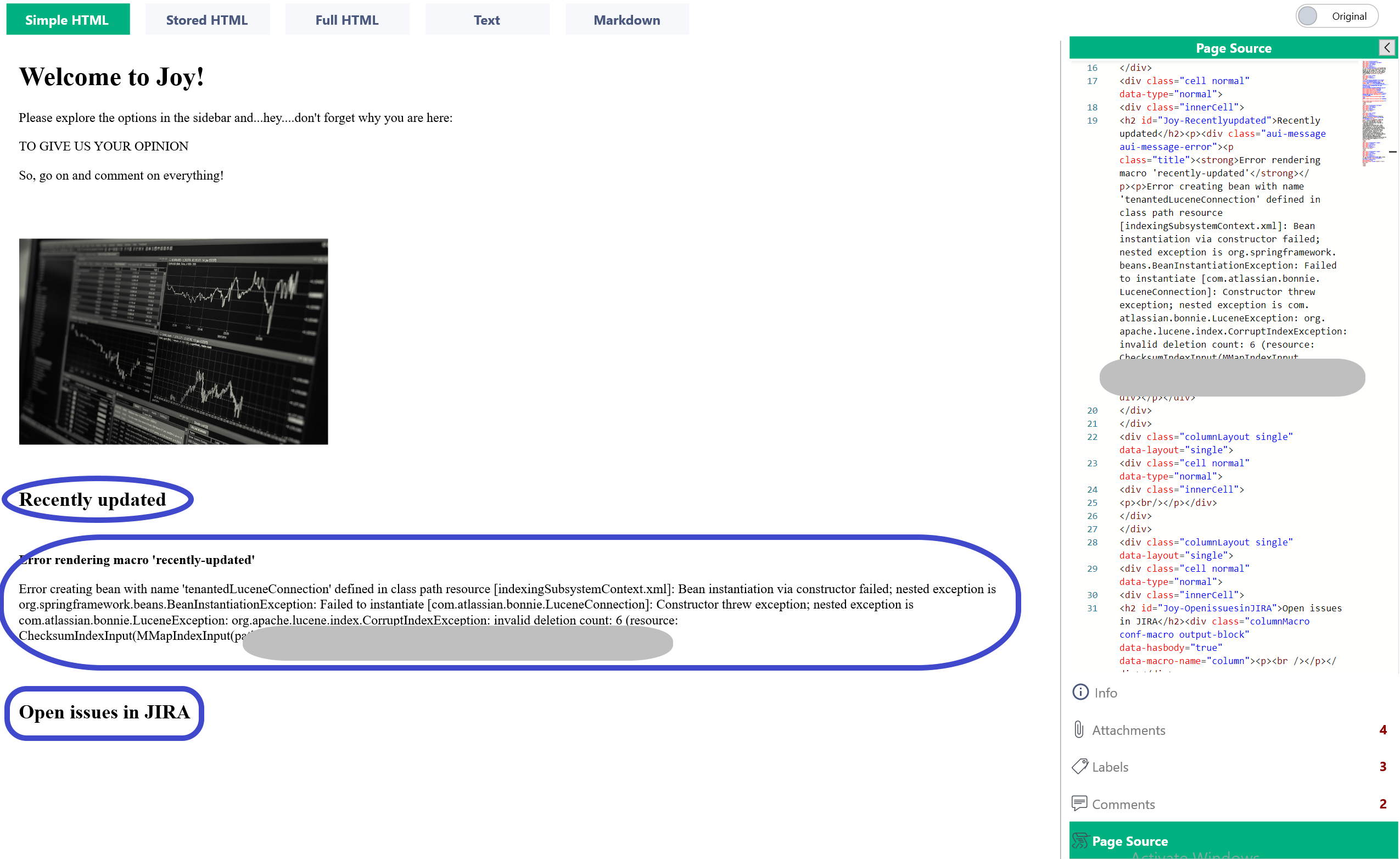
As shown, there were two plug-ins in Confluence that generated an error message. Moreover, there are two headings (Recently updated and Open issues in JIRA) that are not needed.
The goal is to clean the page from the unnecessary tags.
Removing Headings
We start by observing the source code. We need to use the tags as they appear in the code (highlighted text).
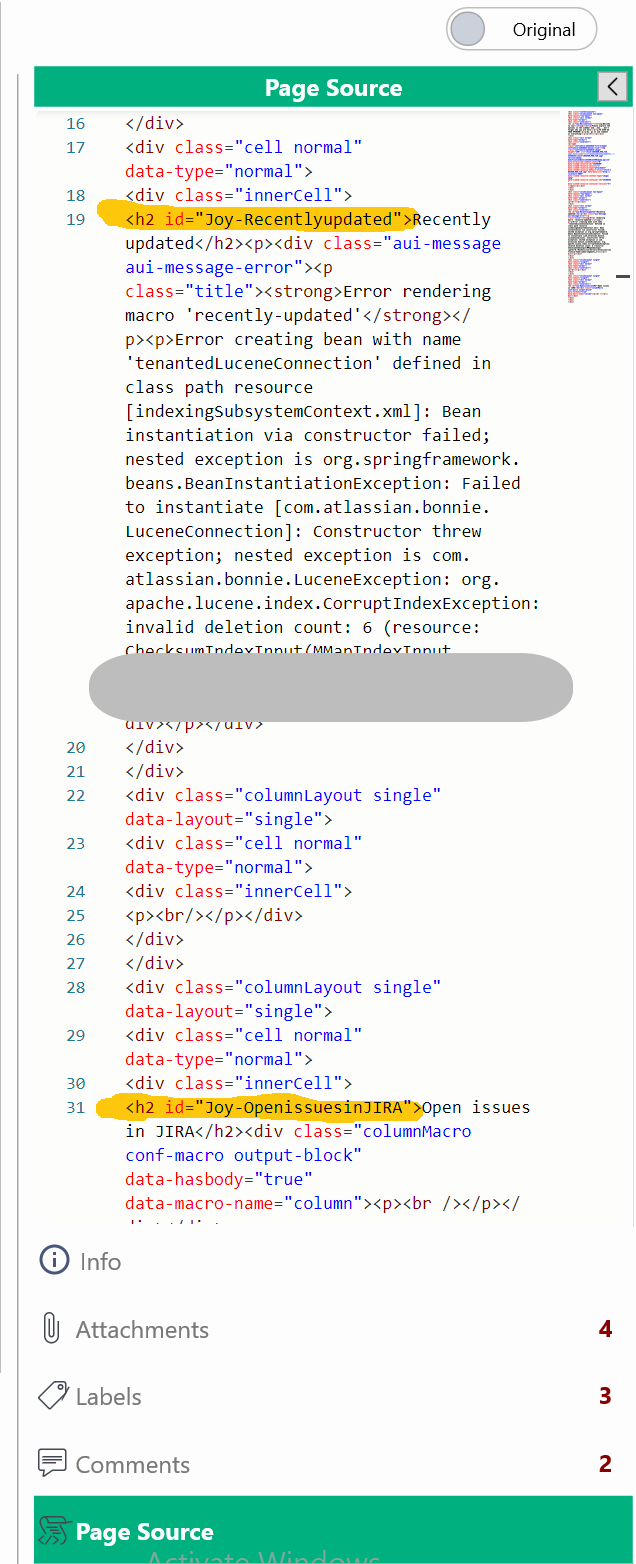
We then add new rules to modify the source as in the following images below.
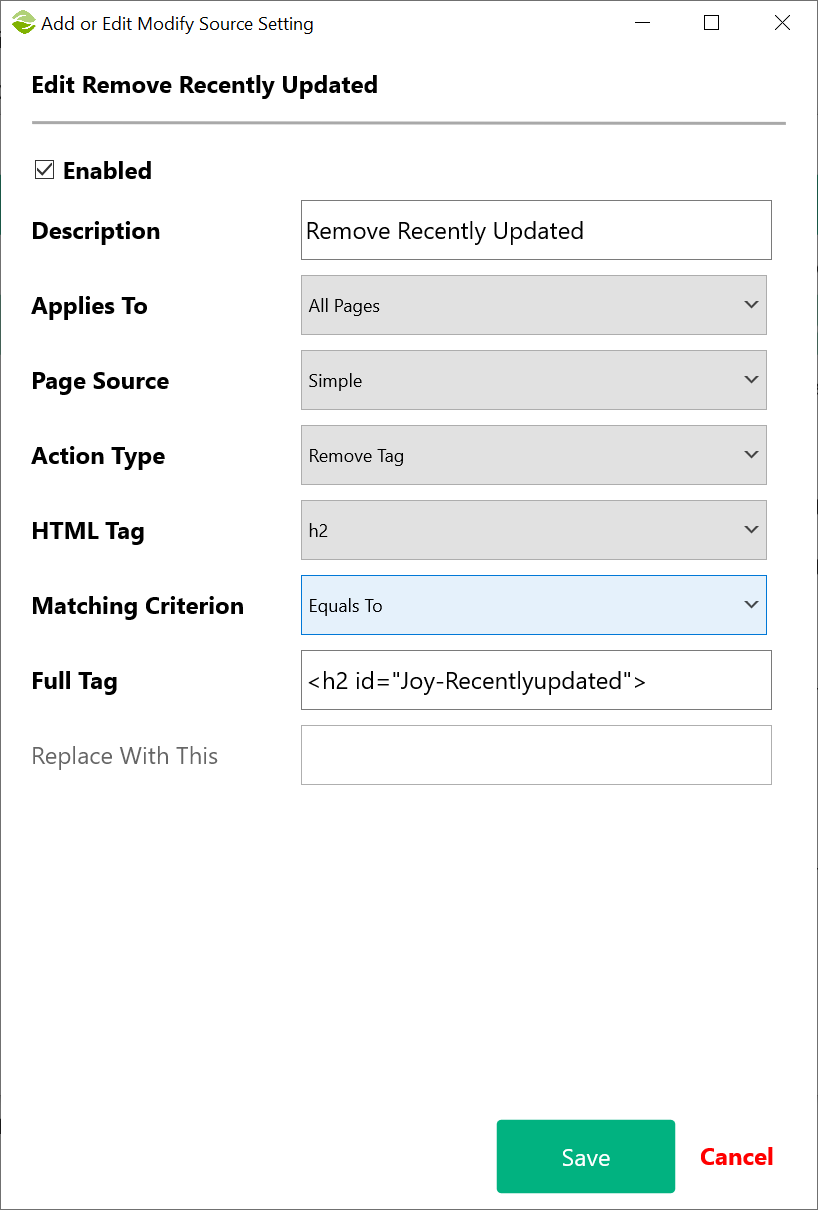
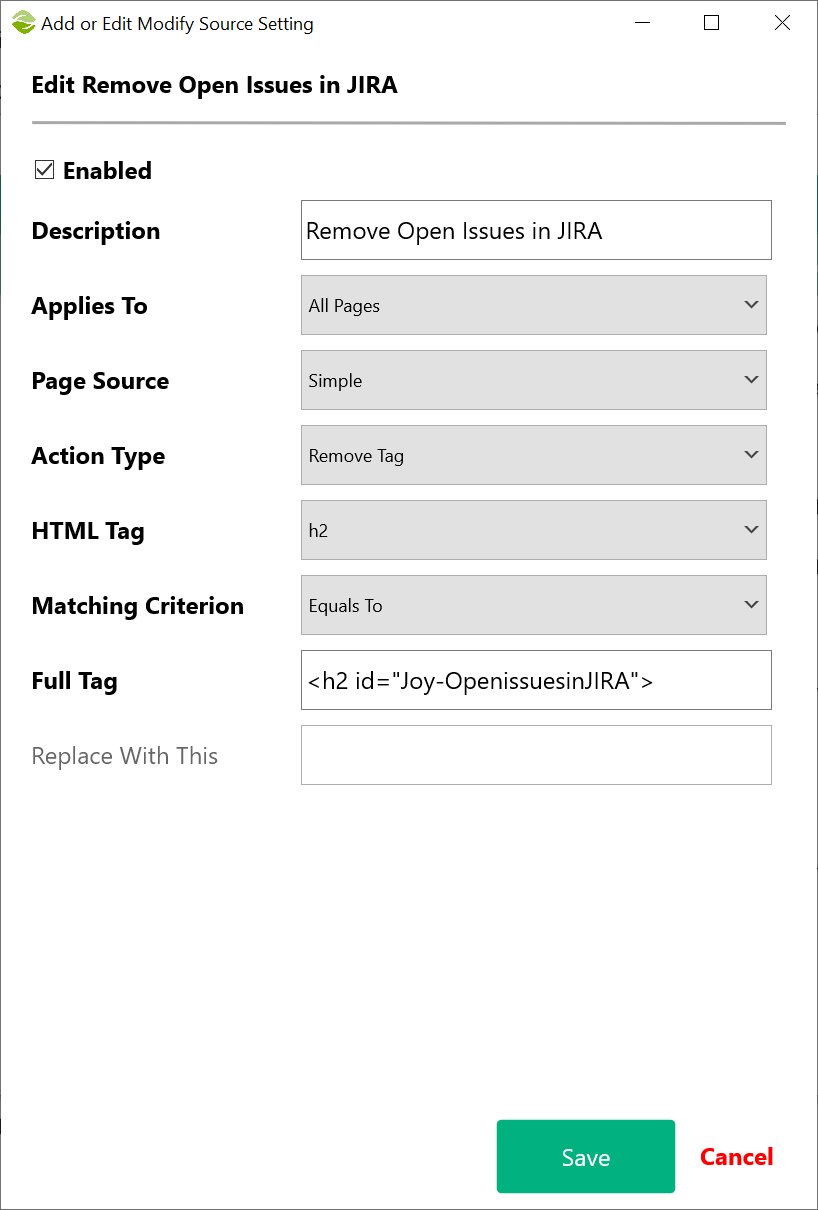
Note that we must select the correct Page Source type and HTML Tag and supply the exact code in Full Tag as it appears in the source.
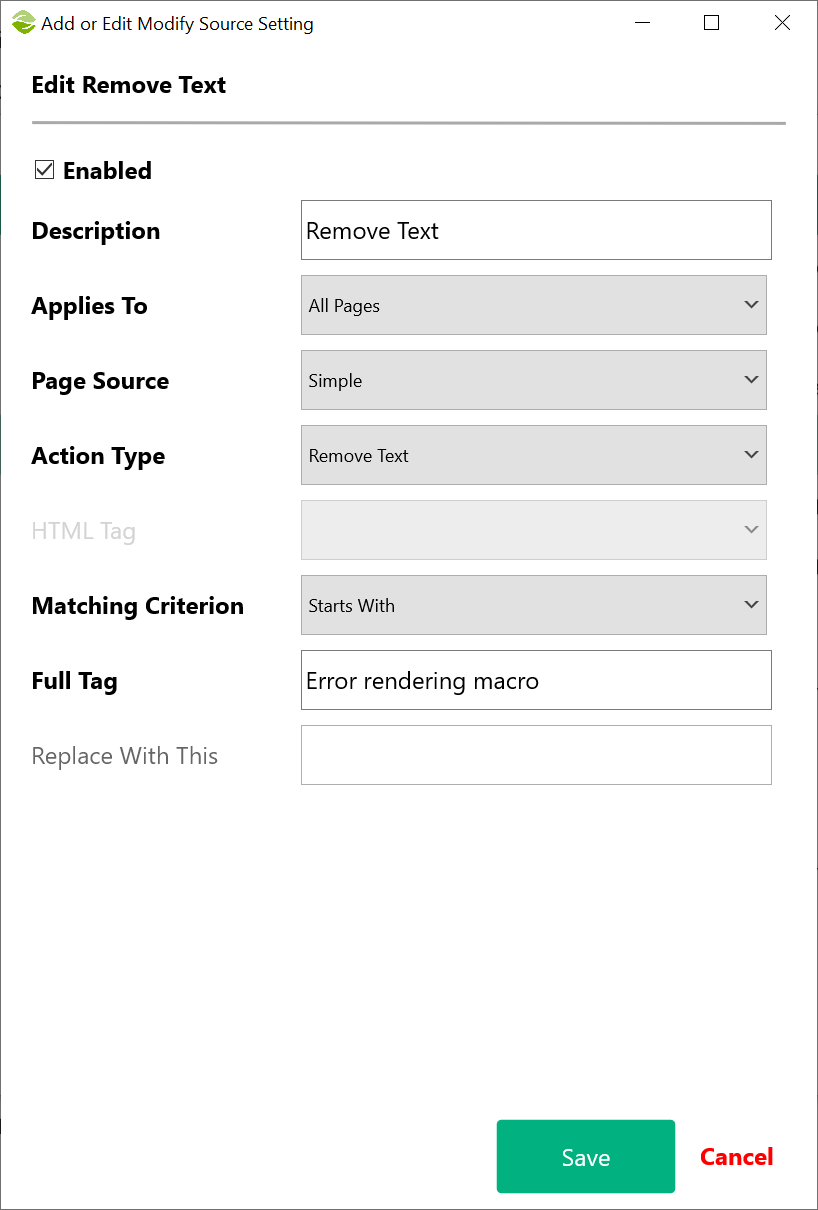
Removing Text
The error message appear in the source as follows:
<p class="title"><strong>Error rendering macro 'recently-updated'</strong></p>
This time we can not use the technique we used before because removing <strong> may create problems in other areas of the page where the same tag appears. Instead, we use the Remove Text option in the modify source settings.
Removing Empty Tags
The removal of the text in the previous section led a tag (<strong>) nexted in another tag (<p>). You can remove empty tags by selecting Remove Empty Tags in the Overall Export Settings.
Cleaning Tags
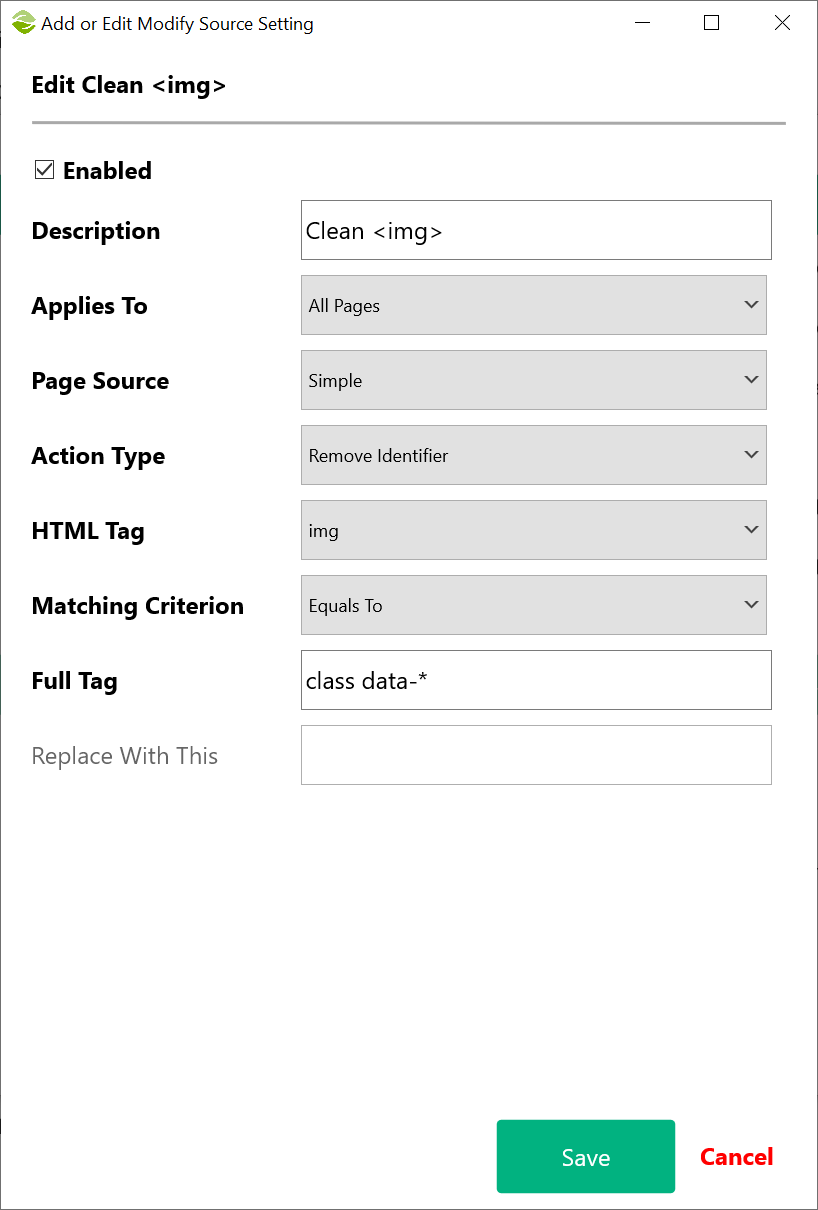
Confluence decorates HTML code with custom identifiers to control the appearance of the pages. Outside of Confluence, these additional elements do nothing apart from polluting the source code of a page.
In the example above, the image has the following identifiers:
<img class="confluence-embedded-image" height="250" src="stock-1863880_960_720.jpg" data-image-src="/download/attachments/23298253/stock-1863880_960_720.jpg?version=1&modificationDate=1534881224002&api=v2" data-unresolved-comment-count="0" data-linked-resource-id="23298309" data-linked-resource-version="1" data-linked-resource-type="attachment" data-linked-resource-default-alias="stock-1863880_960_720.jpg" data-base-url="http://localhost:8085" data-linked-resource-content-type="image/jpeg" data-linked-resource-container-id="23298253" data-linked-resource-container-version="5">
Apart from the height and src, all the other identifiers are obsolete outside of Confluence. We can create a rule to remove them by adding the names of the identifiers in the Full Tag field separated by space. Notice that we can use the "*" as a shorthand expression.
Created with the Personal Edition of HelpNDoc: Revolutionize Your Documentation Output with a Help Authoring Tool