Main Screen
This is the main screen of the application.
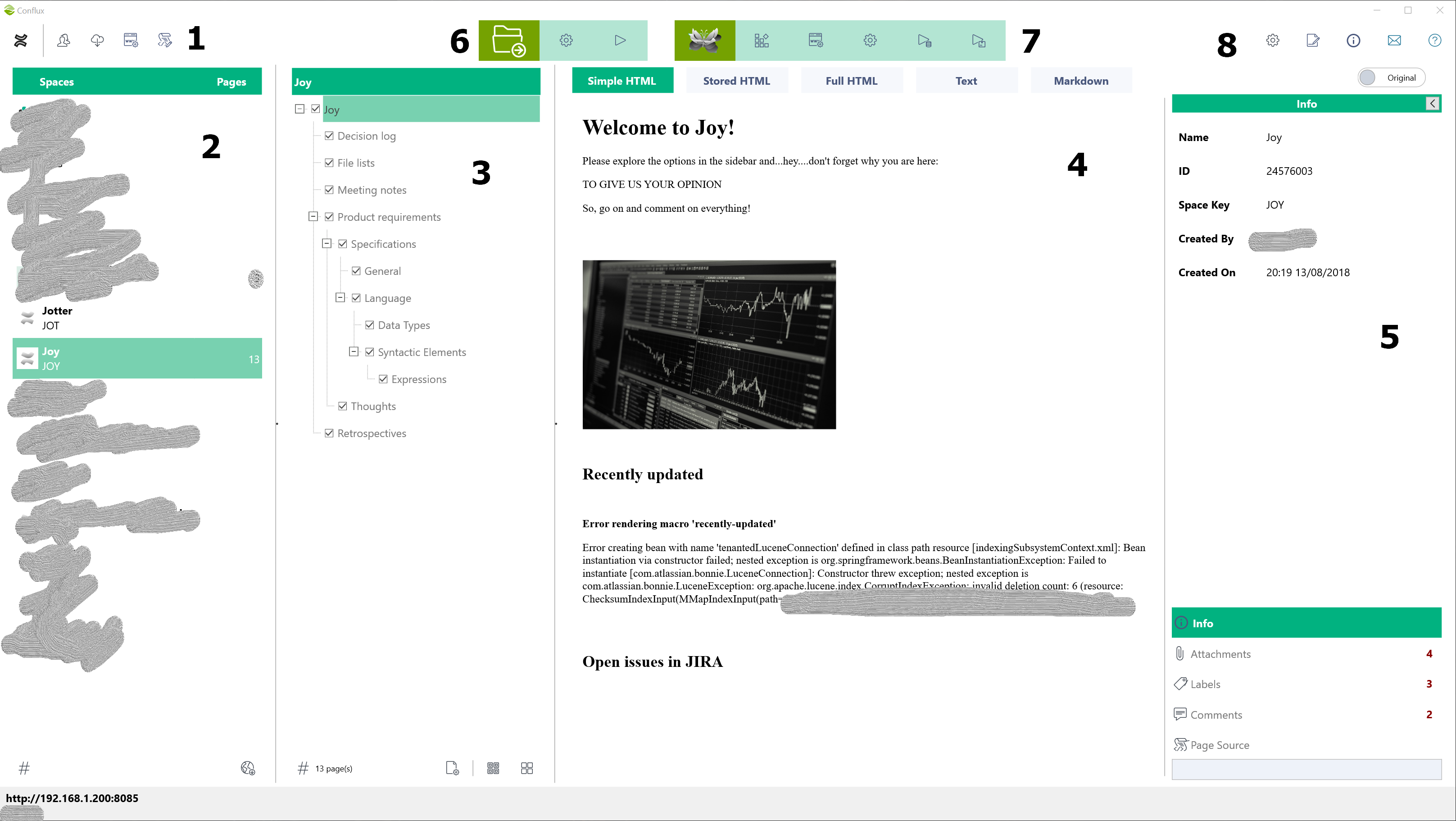
On the main screen, you have access to the following areas:
- Confluence: Add the Confluence connection details, see groups and users, download spaces and add rules to modify the HTML source files
- Spaces: A list of spaces as retrieved from Confluence
- Pages: When you select a space, all the pages that belong to this space will appear in this list
- Page Representation: In this area, you can see a preview of the different representations of a page.
Note: Confluence produces simple, stored and Full HTML pages. Conflux adds a textual and a markdown representation - Page Metadata
- Export Panel (Local Folders): Manage settings and export pages to local folders
- Export Panel (WikiJS): Manage settings and export pages to WikIJS
- Conflux: Settings, about box and logs, documentation, support
Created with the Personal Edition of HelpNDoc: Revolutionize Your Documentation Review with HelpNDoc's Project Analyzer