WikiJS Export Settings
You can adjust the overall settings when you export content to WikiJS.
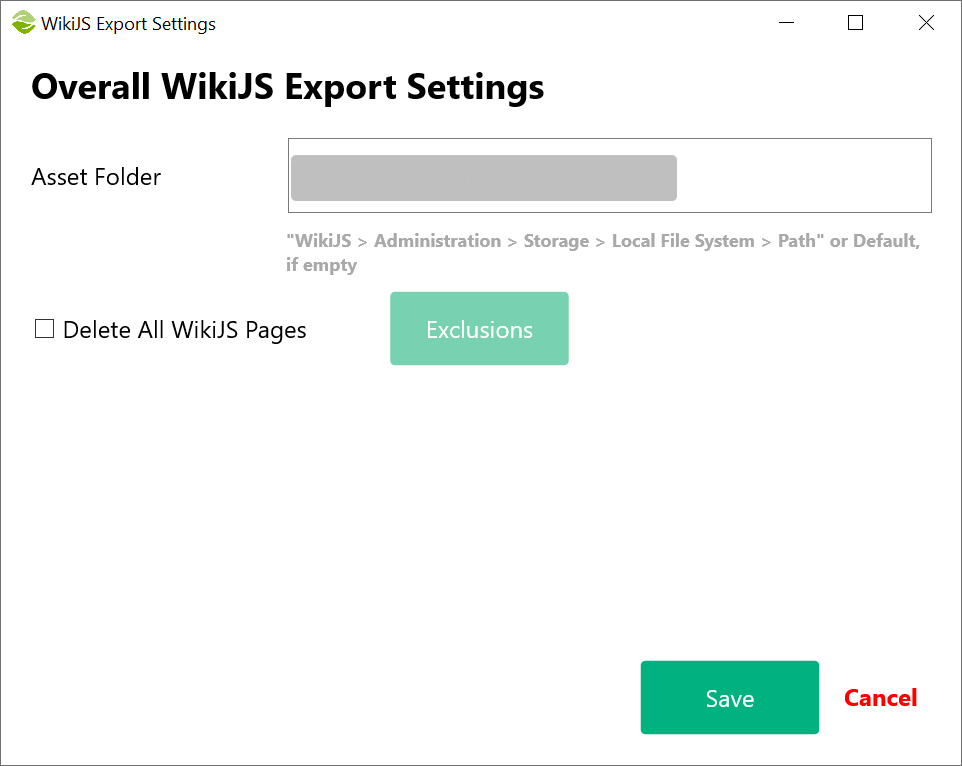
Settings:
- Asset Folder: Conflux exports all the assets from Confluence (e.g., pdf, images, logo, etc.) to this folder
Note: This folder should be the same as the target folder in the local storage settings in WikIJS. For more information, see the technical considerations - Delete All WikiJS Pages: When enabled, Conflux will delete all page sin WikiJS to start from a clean slate
Important If all pages are deleted in WikiJS, you will not be able to see content, even if the export was successful. WikiJS requires a home or landing page as an entry point. Create one such page and add it in the Exclusions view to prevent Conflux deleting it
You can control how specific pages will be exported by adjusting the per-page settings
Created with the Personal Edition of HelpNDoc: Say Goodbye to Documentation Headaches with a Help Authoring Tool